
Turn cards, the next street and the remaining distance appear in the original navigation area.
Your Independent Audi MMI Specialists
CarPlay. Android Auto.
In your Virtual Cockpit.
The navigation you use on your phone, integrated into the display in front of you.

▶ See it in action · 43-second demonstration
Your original displays.A new perspective. CarPlay + Android Auto.
▸Software installation
▸No additional display
▸SD card setup
▸Rollback included
02Your original displays · a new perspective
Familiar. Right in front of you.
Your phone's navigation.
Your Audi's original display.
Keep your route in the cockpit and leave the centre screen free for music, another app or the original MMI menus.
Use the normal, sport or extended layout. Switch between phone navigation and the original Audi map.
Adjust the CarPlay map zoom using the steering-wheel scroll wheel. This zoom control is not available in Android Auto.

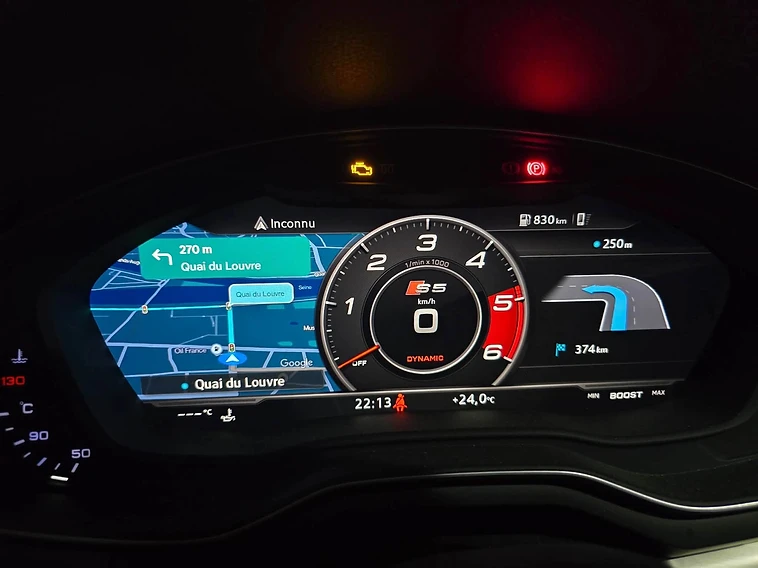
Apple CarPlay · Virtual Cockpit01 / 02
03In customers' cars · field data
Installed in real Audis.
Dozens of successful installations. Imagery captured from owners and installers.


01CarPlay navigation in the Virtual Cockpit at night.

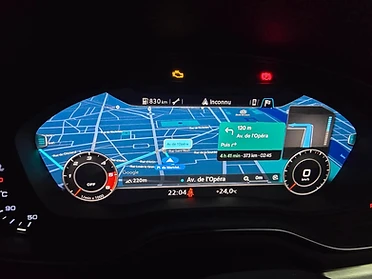
02Turn cards, street names and distance in the cockpit.
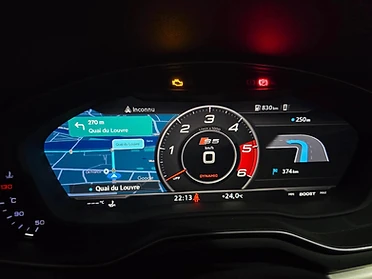
03Phone navigation on the original display.

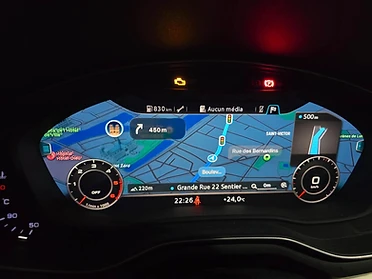
04Route guidance, POIs and the next manoeuvre.

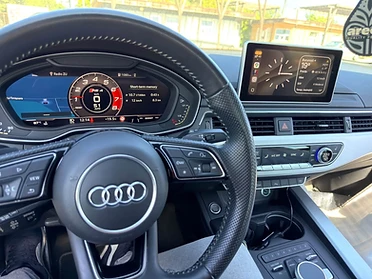
05Navigation ahead. Media in the centre screen.

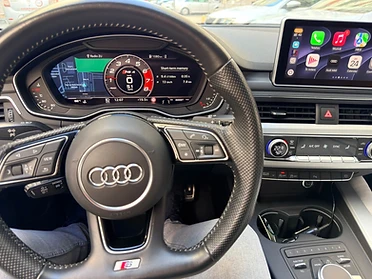
06CarPlay app grid on the centre display.
04Check before you buy · command center
The right software.
For the right Audi.
Currently available only for compatible MHI2Q systems with the first-generation Audi Virtual Cockpit. Supported regions: US, EU, JP, CN.
Model and year alone do not confirm compatibility. Send a photo of your MMI software version so we can check your exact system. Some wireless CarPlay and Android Auto adapters do not work with TheNavMan.
Check my AudiModelCodenameYearsStatus
05From download to dashboard
An SD card. Your existing system.
No additional screen to mount. Installation uses the Audi software update menu.
01⌑
CHECK
Confirm your system
Contact us with your model, year and MMI software version before ordering.
02↓
INSTALL
Download your package
After payment, activate your portal account and download the package prepared for your vehicle. Follow the supplied SD card instructions.
03◉
DRIVE
Set up your view
Use your preferred cockpit layout. Keep your files and support conversations in your TheNavMan account. A rollback package is included.
06Customer feedback · external sources
Read it at the source.
Read customer feedback on Trustpilot and explore the installation discussions on Reddit.

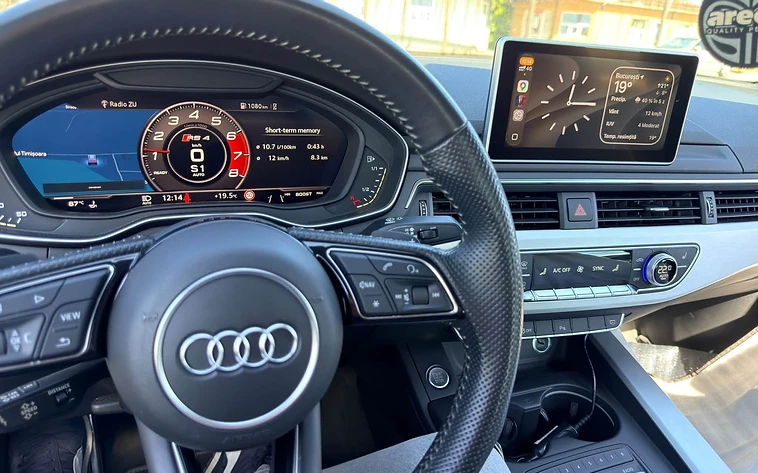
2018 Audi SQ5. Still from the owner's video.
Reddit · r/Audi
The original post and replies on r/Audi — Android Auto & CarPlay in the Virtual Cockpit.
Reddit · customer post
An owner's experience with a 2018 Audi SQ5 — CarPlay in the Virtual Cockpit.
Trustpilot
Read and write reviews on Trustpilot — verified customer feedback.
07Before you order · known variables
A few things worth knowing.
Ask another question →Yes. CarPlay and Android Auto are included in the same installation on supported systems. CarPlay map zoom can be controlled with the steering-wheel scroll wheel; Android Auto does not support that zoom control.
08TheNavMan.com for Audi
Your next route.
In your Virtual Cockpit.
CarPlay + Android Auto. Installation and rollback packages. Access to your files and support in the client portal.
We check compatibility before payment.
€100
Software package- ▸ CarPlay + Android Auto
- ▸ SD card installation guide
- ▸ Rollback package included
- ▸ Client portal · support chat